Free Online Case Converter – Quick Uppercase, Lowercase, Sentence Case Formatting
The Case Converter Tool is a fast and free online utility that helps you instantly change text into UPPERCASE, lowercase, Sentence case, or Title Case. Whether you’re formatting emails, writing blog titles, preparing documents, or cleaning text copied from PDFs, this online text case converter makes your content neat, consistent, and professional with one click.
Case Converter
Case Converter Tool – Complete Guide
Proper text formatting is essential for clear communication, readability, and professional presentation. The Case Converter Tool on Toolsuite.in is designed to help you quickly transform any content into the desired text format—without installing software, creating an account, or worrying about data privacy. This case converter online works instantly in your browser and is fully free to use.
What Is a Case Converter Tool?
A case converter tool is an online utility that automatically changes the capitalization style of any text. It allows you to convert text into:
- UPPERCASE
- lowercase
- Sentence case
- Title Case
This helps writers, students, developers, digital marketers, and content creators format text correctly and consistently in seconds.
Why Is Text Case Conversion Important?
Whether you write daily emails, prepare business documents, publish articles, or create social media content, proper text case improves:
✔ Readability
Consistent case makes your content easy to understand.
✔ Professional Quality
Headings, titles, and paragraphs look polished and structured.
✔ SEO Optimization
Cleanly formatted titles and headings perform better in search engines.
✔ Efficiency & Accuracy
You avoid manual editing errors and save significant time.
Using a free case converter ensures your formatting stays clean, standardized, and ready for publishing.
Features of the Toolsuite Case Converter Tool
This online text case converter includes all essential formatting options:
🔹 UPPERCASE Converter
Changes all letters to capital form.
Useful for headings, forms, labels, and emphasis.
🔹 lowercase Converter
Converts all characters to small letters.
Best for coding, descriptions, and minimal formatting.
🔹 Sentence Case Converter
Capitalizes only the first letter of each sentence.
Ideal for natural paragraph formatting and email writing.
🔹 Title Case Converter
Applies title-style capitalization.
Perfect for article titles, blog posts, YouTube titles, and academic headings.
🔹 Instant Copy & Download
Copy your converted text or download it with one click.
🔹 Browser-Based & Privacy Safe
Your content never leaves your device.
No tracking, no storage, no uploads.
When Should You Use a Case Converter?
The Case Converter Tool is useful for:
- Fixing improperly formatted or random-case text
- Creating professional titles and headings
- Cleaning text pasted from WhatsApp, PDFs, or emails
- Preparing blog posts and SEO headings
- Formatting resume content and project reports
- Standardizing social media captions
- Simplifying academic writing
- Converting text for coding or documentation
If you create content regularly, a fast sentence case converter and title case converter can save you hours of manual editing.

Benefits for Content Creators, Students & Professionals
The tool is especially helpful for:
✔ Content creators & bloggers
Improve title formatting, meta titles, and H1-H2 structures.
✔ Students & researchers
Prepare clean assignments, reports, thesis headings, and citations.
✔ Developers & analysts
Convert text strings, code comments, and labels quickly.
✔ Businesses & professionals
Format emails, proposals, SOPs, and documents consistently.
This free, browser-based case converter online makes formatting effortless for everyone.
How to Use the Case Converter Tool
Using the tool is simple:
- Paste your text into the input box.
- Choose the format—UPPERCASE, lowercase, Sentence case, or Title Case.
- Click Convert.
- Copy or download the formatted output.
No login. No installation. No complexity.
FAQ
⭐ 1. What is a Case Converter Tool?
A Case Converter Tool is an online utility that helps you change the capitalization of any text. It allows you to quickly convert text into UPPERCASE, lowercase, Sentence case, or Title Case without manual typing.
⭐ 2. Is this Case Converter Tool free to use?
Yes. The tool is completely free, unlimited, and works instantly in your browser. You don’t need to sign up or install anything.
⭐ 3. Does my text get stored or uploaded?
No. This online text case converter is fully browser-based, meaning your text never leaves your device. Nothing is saved, tracked, or shared.
⭐ 4. What’s the difference between Sentence case and Title Case?
- Sentence case capitalizes only the first letter of a sentence.
- Title Case capitalizes the major words in a heading or title.
Both formats help improve readability in different contexts.
⭐ 5. Can I convert large paragraphs or long documents?
Yes, you can paste long content, multiple paragraphs, or even full articles. The converter processes everything instantly.
⭐ 6. Will this tool work on mobile devices?
Absolutely. The tool is fully responsive and works smoothly on phones, tablets, laptops, and desktops.
⭐ 7. Who can benefit from using the Case Converter Tool?
Writers, students, developers, editors, bloggers, digital marketers, and professionals who often format emails, titles, documents, captions, and reports
⭐ 8. How do I use the Case Converter Tool?
Simply paste your text, choose the format (UPPERCASE, lowercase, Sentence case, or Title Case), and click Convert. You can then copy or download the result instantly.
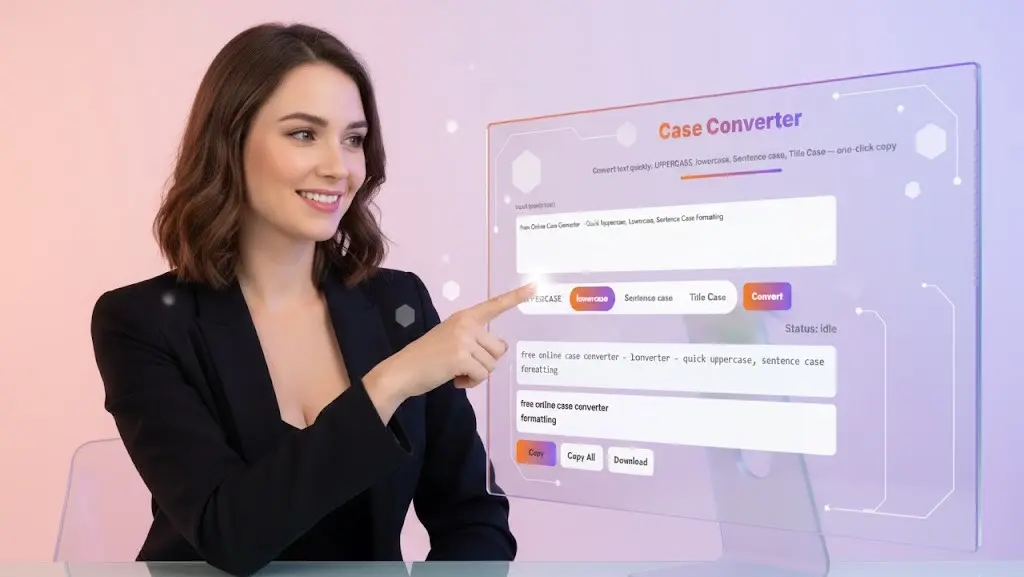
Get Started with Toolsuite’s Case Converter
Start formatting your text instantly with the Case Converter Tool. Whether you need to create polished headings, clean messy text, or prepare content for publishing, this online text case converter makes your workflow faster and more accurate. Paste your text, choose a case style, and convert it in one click.
Related Tools and Directory
- Income Tax Calculator
- Tools Directory Overview
- Free Online tools Hub
- Advance Tax Interest Calculator
- GST Calculator
- HRA Exemption Calculator
- TDS Deduction Estimator — Salary (Monthly Estimate)
- Income Tax Slab Comparison
- Gratuity Calculator
- EPF Contribution Calculator
- Simple EMI Calculator
- Advance Term Loan EMI Calculator
- Car Loan EMI Calculator
- Personal Loan EMI Calculator
- Home Loan EMi Calculator
- SIP Calculator
- SIP Goal Calculator
- CAGR Calculator
- XIRR Calculator
- SWP Calculator
- STP Calculator
- Free Lumpsum Investment Calculator: Maximize the Future Value
- CSV to JSON Converter
- QR Code Generator
- CSV to Excel Converter
- Base64 Encoder/Decoder
- Regex Tester
- JSON Formatter & Validator
- UUID Generator
- Strong Password Generator
- Lorem Ipsum Generator
- URL Encoder & Decoder
- HTML escape-unescaped tools
- JPG to PDF Converter
- PDF to JPG Converter
- PDF Compressor
- PDF Merge
- Explore more tools for Finance & Tax and SEO on TaxBizmantra.com & CAMSROY.COM