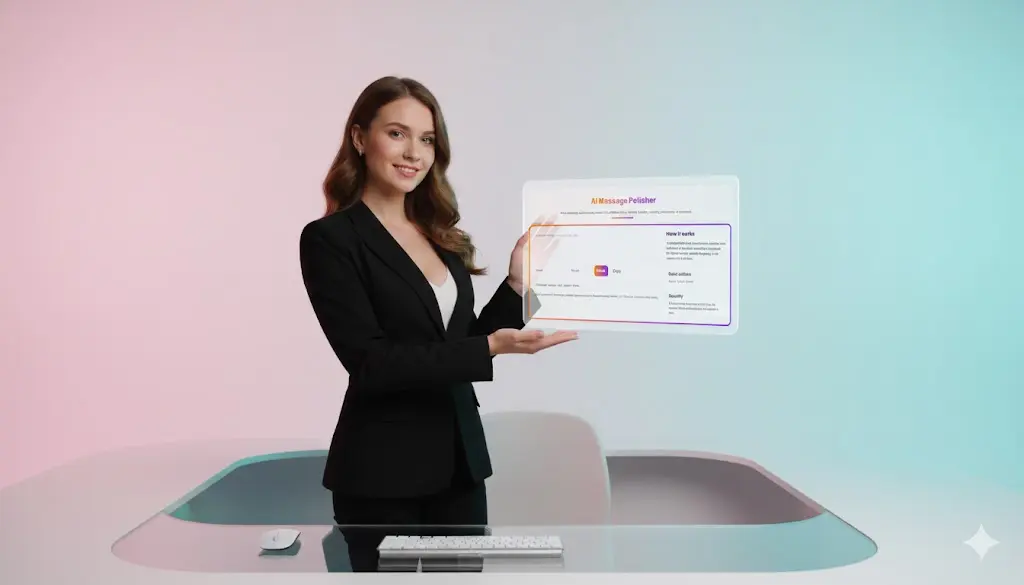
AI Message Polisher – Instantly Rewrite Messages in Any Tone
Clear communication matters, whether you are writing an email, sending a message to a client, preparing a note for your team, or responding in a professional chat. The AI Message Polisher by Toolsuite.in helps you instantly rewrite your message in the tone you choose—formal, friendly, concise, persuasive, or technical—without losing meaning. With just one click, you can make your writing sharper, clearer, and more impactful.
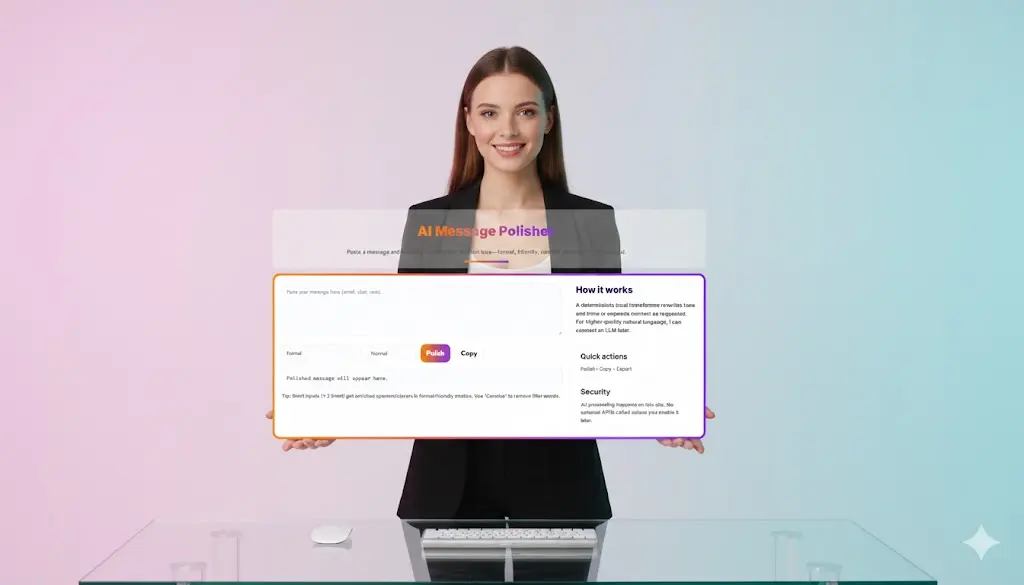
AI Message Polisher
Paste a message and instantly rewrite it in a different tone—formal, friendly, concise, persuasive, or technical.
How it works
A deterministic local transformer rewrites tone and trims or expands content as requested. For higher-quality natural language, I can connect an LLM later.
Why You Need an AI Message Polisher
Writing the perfect message takes time. You want it to sound confident, professional, warm, or direct depending on the situation. But adjusting tone manually can be difficult, especially when you are in a hurry.
That’s where this message rewriting tool becomes indispensable. The AI Message Polisher rewrites text instantly by improving:
- Tone
- Clarity
- Grammar
- Flow
- Readability
- Conciseness
- Professionalism
Instead of spending minutes or hours rewriting a message, you can polish it instantly and send it confidently.
⭐ How the AI Message Polisher Works
The tool uses a deterministic local rewriting engine designed to detect tone, identify filler words, and restructure sentences without changing the core meaning. This ensures predictable, safe outputs without hallucinations or content drift.
It improves your message by:
- Rewriting it with better tone
- Removing unnecessary words
- Adding professional or polite wording
- Enhancing clarity and readability
- Making messages more concise or more expressive depending on the mode
Tone Modes Currently Available:
- Formal – Ideal for business emails, HR communication, official requests
- Friendly – Warm, conversational, approachable tone
- Concise – Short, crisp, to the point; removes filler words
- Normal / Balanced – Clear and neutral tone suitable for general communication
- Technical / Persuasive (Optional future) – Could be added for more advanced rewriting
This flexibility makes the AI Message Polisher suitable for almost any communication need.
⭐ Key Features of the AI Message Polisher
🔸 Rewrite messages instantly
Paste your text and click Polish. You immediately receive a rewritten message in the tone you selected.
🔸 Improve emails, chats, and notes
Whether it’s an email to a colleague, a customer reply, a WhatsApp message, or a LinkedIn caption, the tool enhances clarity.
🔸 Tone transformation
Convert casual text into formal communication or turn stiff wording into a friendly, relatable message.
🔸 Remove filler words
The Concise mode trims unnecessary words, making content tighter and more professional.
🔸 Expand short messages
Short inputs (1–2 lines) get polished with enriched openers and closers in formal or friendly modes.
🔸 Privacy-first
The entire rewriting process happens on Toolsuite.in with no external API calls. Your messages stay private and secure.
🔸 Copy-ready output
Once polished, the message can be copied instantly into your email, chat, or app.
🔸 Professional consistency
Teams can use this message polishing tool to ensure consistent communication tone across departments.
⭐ Use Cases – Who Should Use This Tool?
✔ Students
Rewrite assignment messages, internship emails, or professor communication to sound polished and confident.
✔ Professionals
Improve internal communication, emails, Slack messages, or client updates.
✔ Customer Support Teams
Maintain consistent tone—friendly, polite, and helpful messages every time.
✔ Marketing & Social Media Teams
Rewrite posts or captions in a persuasive or friendly tone.
✔ HR Departments
Rewrite HR announcements, policy messages, onboarding communication, or candidate replies.
✔ Freelancers
Send polished messages to clients, agencies, or collaborators.
✔ Founders & Startup Teams
Communicate more effectively with investors, partners, or users.
✔ Anyone writing in English
If you draft emails, chat messages, meeting notes, or professional updates, this tool improves your writing instantly.
⭐ Why the AI Message Polisher Is Better Than Manual Editing
1. Saves Time
You no longer need to rewrite sentences again and again to match the tone. The tool polishes your message in a single click.
2. Maintains Accuracy
It rewrites tone but keeps the meaning intact, ensuring the message is still yours—just improved.
3. Perfect for Non-native English Speakers
It helps you sound confident and professional even if English isn’t your strongest skill.
4. Eliminates Overthinking
You no longer worry whether your message sounds rude, harsh, informal, or unclear.
5. Produces Professional Results
The polished message is clean, structured, and ready to send.
⭐ Best Practices for High-Quality Results
To get the best polished message:
- Keep your input concise and clear.
- Choose the correct tone for your intention.
- Use Concise mode for short business replies.
- Use Formal mode for clients, HR, leadership, or official communication.
- Use Friendly mode for community messages or team interactions.
- For long emails, break them into sections for cleaner output.
These practices ensure your rewritten text stays accurate, expressive, and natural.
⭐ Privacy & Security
The AI Message Polisher is built with privacy-first architecture.
Your message:
- is processed locally by the tool,
- does not get stored,
- is not sent to external AI services unless you choose future opt-in features,
- stays within your browser session.
This makes it safe for both personal and corporate use.

⭐ Get Started
Paste your message above, choose your tone, and click Polish to instantly improve your communication. Whether you’re sending an email, posting on social media, messaging a client, or writing for work, the AI Message Polisher helps you express yourself with clarity, confidence, and the perfect tone.
⭐ FAQs – AI Message Polisher (Toolsuite.in)
1. What is the AI Message Polisher?
The AI Message Polisher is a rewriting tool by Toolsuite.in that instantly improves the tone, clarity, and professionalism of any message. It rewrites your text in a chosen tone—formal, friendly, concise, persuasive, or technical—while preserving your original meaning.
2. How does the AI Message Polisher work?
The tool uses a deterministic rewriting engine that analyzes your message, identifies tone patterns, removes filler words, and restructures the text for clarity. It does not rely on external APIs, ensuring consistent and predictable output every time.
3. What types of messages can I polish with this tool?
You can polish emails, chat messages, WhatsApp replies, professional communication, LinkedIn messages, HR notes, customer support responses, student emails, marketing copy, and any short or medium-length text that needs tone correction or refinement.
4. Which tones does the AI Message Polisher support?
The tool currently supports Formal, Friendly, Normal, and Concise tones. These allow you to rewrite communication according to your audience—professional, casual, short, polite, or conversational.
5. Is the output grammatically accurate?
Yes. The AI Message Polisher enhances grammar, punctuation, readability, and sentence flow. It removes unnecessary words and ensures your message sounds clean and professional.
6. Is my data safe when I use the AI Message Polisher?
Absolutely. All rewriting happens locally on Toolsuite.in with no external API calls. Your text is not stored, logged, or transmitted outside the site, making the tool secure for corporate, academic, and personal use.
7. Do I need to sign up or create an account?
No. The tool is completely free and does not require registration or login. Simply paste your message, choose a tone, and click “Polish.”
8. Can I use this tool to rewrite emails professionally?
Yes. The AI Message Polisher is widely used for email rewriting. The Formal tone is ideal for HR communication, business emails, client messages, and professional correspondence.
9. Can the tool help shorten long messages?
Yes. The Concise mode compresses long or repetitive text into a short, clear version without losing meaning. It removes filler words and streamlines the message for fast reading.
10. Can I use the AI Message Polisher for customer support communication?
Definitely. Customer support teams use this tool to create polite, empathetic, and professionally worded responses. The Friendly and Formal modes ensure consistent tone across interactions.
11. Does the AI Message Polisher change the meaning of my message?
No. The tool is designed to improve tone and clarity while preserving the original intent. It rewrites your message more effectively without adding incorrect or unwanted information.
12. Is the AI Message Polisher free to use?
Yes. The rewriting tool is currently free on Toolsuite.in. You can polish unlimited messages without any usage limits or subscriptions.
13. Who can benefit from using the AI Message Polisher?
Students, professionals, freelancers, founders, marketers, HR teams, customer service teams, and non-native English speakers all benefit from this tool. It helps anyone who wants to communicate more clearly and confidently.
14. Can the tool improve very short inputs?
Yes. Short messages (1–2 lines) receive enriched openers and closers in friendly or formal tones. Concise mode trims short messages even further for direct communication.
15. Will new tones be added in the future?
Yes. Toolsuite.in plans to introduce persuasive, technical, and analytical tone modes, offering even finer control over message rewriting.
Related Tools and Directory
- Income Tax Calculator
- Tools Directory Overview
- Free Online tools Hub
- Advance Tax Interest Calculator
- GST Calculator
- HRA Exemption Calculator
- TDS Deduction Estimator — Salary (Monthly Estimate)
- Income Tax Slab Comparison
- Gratuity Calculator
- EPF Contribution Calculator
- Simple EMI Calculator
- Advance Term Loan EMI Calculator
- Car Loan EMI Calculator
- Personal Loan EMI Calculator
- Home Loan EMi Calculator
- SIP Calculator
- SIP Goal Calculator
- CAGR Calculator
- XIRR Calculator
- SWP Calculator
- STP Calculator
- Free Lumpsum Investment Calculator: Maximize the Future Value
- CSV to JSON Converter
- QR Code Generator
- CSV to Excel Converter
- Base64 Encoder/Decoder
- Regex Tester
- JSON Formatter & Validator
- UUID Generator
- Strong Password Generator
- Lorem Ipsum Generator
- URL Encoder & Decoder
- HTML escape-unescaped tools
- JPG to PDF Converter
- PDF to JPG Converter
- PDF Compressor
- PDF Merge
- Case Converter
- Break-Even Calculator
- ROI Calculator
- Free Profit Margin Calculator – Calculate Profit Margins Instantly
- Startup Runway & Burn Rate Calculator – Calculate Cash Runway Free
- Free Working Capital Calculator | Free Tool- ToolSuite.in
- Vendor Payment Terms Calculator | APR & Discount Analyzer Free
- Simple Cap Table Builder | Free Equity & Ownership Calculator
- AI Email Writer – Free Online Email Generator for Emails
- AI Email Rewriter – Free Smart Email Assistant-Toolsuite
- Meeting Notes Summarizer – Free Tool to Summarize Meetings
- Explore more tools for Finance & Tax and SEO on TaxBizmantra.com & CAMSROY.COM