AI Email Writer – Write Clear, Professional Emails in Seconds
Writing the perfect email takes time — thinking, drafting, fixing tone, correcting grammar, and making it sound professional. With the AI Email Writer, you can generate polished emails instantly for work, business, clients, HR, sales, customer support, and personal communication.
This tool helps you convert your thoughts into structured, effective email copy without struggling with words. Whether you need a formal reply, client proposal, cold outreach, HR email, interview follow-up, or complaint draft, the AI Email Writer handles everything with a click.
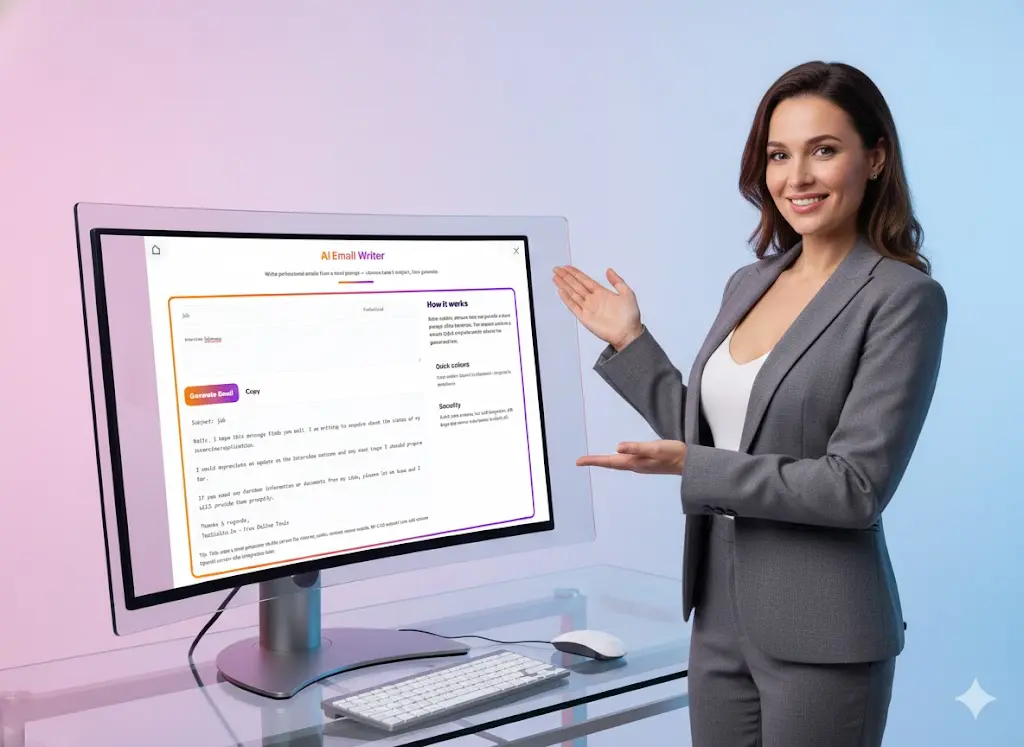
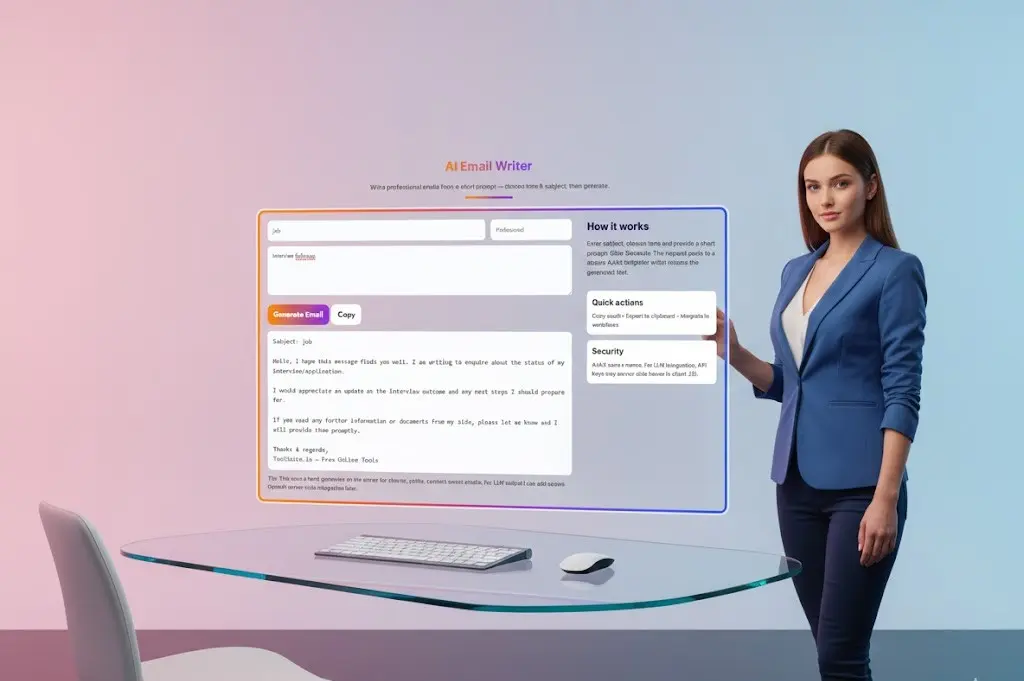
AI Email Writer
Write professional emails from a short prompt — choose tone & subject, then generate.
How it works
Enter subject, choose tone and provide a short prompt. Click Generate. The request posts to a secure AJAX endpoint which returns the generated text.
What Is the AI Email Writer Tool and Why You Need It
Email communication is one of the most essential professional skills, yet many people spend unnecessary time drafting and improving emails. The AI Email Writer Tool eliminates these struggles by offering a fast, accurate, and context-aware solution to generate emails tailored to your purpose, tone, and audience.
Built for students, working professionals, business owners, HR teams, freelancers, consultants, teachers, accountants, customer support agents, entrepreneurs, and job seekers, this AI-powered email generator helps you:
- Reduce email writing time by nearly 80%
- Maintain a consistent and confident tone
- Avoid spelling or grammar errors
- Improve response rates in business communication
- Save time, boost productivity, and write without hesitation
Just enter your message or bullet points, choose your tone—formal, professional, friendly, persuasive, actionable, urgent—and the tool generates a ready-to-send email instantly.
Key Features of the AI Email Writer Tool
The tool is designed to make email writing simple, fast, and effective. Here’s what you can expect:
1. Instant Email Generation
No need to draft from scratch. Enter a short input like “follow up after meeting” and the tool writes a complete email for you.
2. Smart Tone Control
Choose the tone you want: formal, friendly, professional, polite, assertive, sales-oriented, or urgent.
3. Context-Aware Suggestions
It understands your message and creates emails that match the context—business, HR, customer service, or personal use.
4. Ready-to-Use Templates
The tool includes pre-built structures for:
- HR & interview emails
- Sales cold emails
- Client updates
- Complaint & escalation
- Meeting requests
- Follow-ups
5. Grammar Perfection
Every email is automatically polished for grammar, clarity, structure, and flow.
6. Multiple Output Variations
Get one email or regenerate instantly for more versions.
7. One-Click Copy & Send
Simple, fast, and effortless workflow.
Who Should Use the AI Email Writer? (Use Cases)
The AI Email Writer Tool is versatile and can be used by almost anyone who communicates regularly via email.
1. Working Professionals
For daily office communication:
- Email updates
- Task reports
- Meeting requests
- Follow-ups
- Clarifications
- Approval requests
2. HR & Recruitment Teams
Using AI makes HR communication smooth and consistent:
- Interview invitations
- Rejection emails
- Onboarding emails
- Job application replies
- Policy announcements
3. Business Owners & Client-Facing Roles
Perfect for structured business communication:
- Project updates
- Payment follow-ups
- New client pitch
- Proposal sharing
- Service reminders
4. Sales Professionals
Boost your conversion rate with professional outreach:
- Cold emails
- Lead follow-ups
- Demo scheduling
- Product introduction
5. Students & Job Seekers
Save time on:
- Application emails
- Internship requests
- SOP communication
- Follow-up mail after interviews
6. Customer Support Teams
Generate quick, polite, and precise responses for customer queries.
Why AI Email Writer Helps You Communicate Better
✔ Saves Time
Instead of spending 10–20 minutes on a single email, generate a polished draft within seconds.
✔ Improves Quality of Communication
Your emails become structured, polite, and more impactful.
✔ Helps Non-English Speakers
If English grammar or phrasing is challenging, this tool ensures you always sound fluent and professional.
✔ Eliminates Writer’s Block
Just add bullet points — the tool converts them into a complete message.
✔ Enhances Business Impact
Sales, marketing, HR, and client communication become more effective and consistent.
How to Use the AI Email Writer
Using this tool is extremely simple:
- Enter your key message or bullet points
- Select your preferred tone
- Click “Generate Email”
- Copy the ready email
- Adjust details if needed and send
No login, no signup, no complications.
What Makes a Good Professional Email?
A powerful email has the following elements:
- A clear subject line
- Polite opening
- Straightforward purpose
- Relevant supporting details
- A clear CTA (Call to Action)
- Professional closing line
- Signature
The AI Email Writer automatically includes these elements so you don’t need to remember or structure them manually.
AI Email Writer vs Manual Email Writing
| Factor | Manual Writing | AI Email Writer |
|---|---|---|
| Time Required | 5–15 minutes | 5 seconds |
| Grammar Accuracy | Depends | Perfect |
| Tone Consistency | Difficult | Always consistent |
| Ease | Medium | Very easy |
| Best For | Simple emails | All email types |
Why Professionals Use AI Email Tools Daily
Modern workplaces depend on fast communication. HR, finance, admin, sales, IT, and customer support teams use AI tools to save time and prevent mistakes. Using the AI Email Writer helps you communicate more efficiently while maintaining clear, confident, and professional messaging in every email.
Common Email Mistakes People Make (And How AI Helps Fix Them)
Even experienced professionals make mistakes while writing emails. These errors affect clarity, professionalism, and response rates. The AI Email Writer Tool helps eliminate these common issues:
1. Writing Long, Unclear Emails
Many people write long paragraphs without structure. AI transforms your points into clear, concise, readable messages.
2. Incorrect Tone
Using an overly casual, harsh, or unclear tone can confuse the reader. The AI Email Writer ensures your tone is professional, polite, and appropriate.
3. Grammar and Spelling Errors
Small mistakes can damage credibility. AI automatically corrects grammar, punctuation, and sentence structure.
4. Missing Call-to-Action
Emails often fail to mention what the receiver needs to do next. AI always includes a clear CTA like:
- “Please confirm by…”
- “Let me know your feedback…”
- “Requesting your approval…”
5. Poor Subject Lines
Generic subject lines reduce open rates. AI generates clear, specific subjects that grab attention.
6. Emotional or Over-Polite Writing
Some emails sound too emotional or overly apologetic. AI maintains a balanced and confident tone.
7. Lack of Professional Formatting
AI ensures:
- Clean paragraphs
- Professional greetings
- Polite closings
- Proper alignment
- Zero clutter
By eliminating these mistakes, the AI Email Writer helps you send emails that are high-quality, professional, and easy to understand.
Why AI Email Writing Improves Workplace Efficiency
AI-driven email writing is becoming essential in modern workplaces. Here’s why:
1. Faster Communication Cycles
Employees don’t waste time drafting long emails. Messages move quicker, leading to faster decisions and smoother workflows.
2. Consistency Across Teams
Whether it’s HR, finance, sales, or support — AI ensures a uniform tone across all communication.
3. Reduced Workload for Managers
Managers spend less time editing emails or correcting errors because employees send cleaner drafts.
4. Enhanced Professional Image
Well-written emails improve the company’s professional image, especially in client-facing industries.
5. No More Writer’s Block
Employees simply enter key points, and the tool creates complete, polished emails — even during busy hours or high-pressure situations.
6. Saves Hours Weekly
On average, professionals spend 28% of their workweek on email. AI email writing reduces this dramatically.
7. Boosts Sales & Client Engagement
Faster, clearer, and more persuasive emails lead to better conversions and improved client satisfaction.
8. Helps Non-English Speakers Communicate Better
People who struggle with grammar or professional language can now write confidently.
AI does the heavy lifting, and professionals focus on meaningful work — not formatting emails.
FAQs – AI Email Writer Tool
1. What is an AI Email Writer?
It is a tool that generates professional and well-structured emails from short inputs or bullet points.
2. Is the tool free to use?
Yes, the tool is completely free and does not require login.
3. Can it write formal and business emails?
Yes, you can create formal, polite, professional, or persuasive emails.
4. Can I generate email replies?
Yes. Paste the incoming email and the tool generates a polished, ready-to-send reply.
5. Is the content original?
Yes, every email is freshly generated based on your input.
6. Is it useful for HR & job applications?
Absolutely. It’s ideal for interviews, follow-ups, and job applications.
7. Can sales teams also use this tool?
Yes, it is excellent for cold emails, follow-ups, product pitches, and lead nurturing.
8. Do I need to install anything?
No, it works directly on your browser.
Related Tools and Directory
- Income Tax Calculator
- Tools Directory Overview
- Free Online tools Hub
- Advance Tax Interest Calculator
- GST Calculator
- HRA Exemption Calculator
- TDS Deduction Estimator — Salary (Monthly Estimate)
- Income Tax Slab Comparison
- Gratuity Calculator
- EPF Contribution Calculator
- Simple EMI Calculator
- Advance Term Loan EMI Calculator
- Car Loan EMI Calculator
- Personal Loan EMI Calculator
- Home Loan EMi Calculator
- SIP Calculator
- SIP Goal Calculator
- CAGR Calculator
- XIRR Calculator
- SWP Calculator
- STP Calculator
- Free Lumpsum Investment Calculator: Maximize the Future Value
- CSV to JSON Converter
- QR Code Generator
- CSV to Excel Converter
- Base64 Encoder/Decoder
- Regex Tester
- JSON Formatter & Validator
- UUID Generator
- Strong Password Generator
- Lorem Ipsum Generator
- URL Encoder & Decoder
- HTML escape-unescaped tools
- JPG to PDF Converter
- PDF to JPG Converter
- PDF Compressor
- PDF Merge
- Case Converter
- Break-Even Calculator
- ROI Calculator
- Free Profit Margin Calculator – Calculate Profit Margins Instantly
- Startup Runway & Burn Rate Calculator – Calculate Cash Runway Free
- Free Working Capital Calculator | Free Tool- ToolSuite.in
- Vendor Payment Terms Calculator | APR & Discount Analyzer Free
- Simple Cap Table Builder | Free Equity & Ownership Calculator
- Explore more tools for Finance & Tax and SEO on TaxBizmantra.com & CAMSROY.COM