Free Online URL Encoder Decoder: Instantly Encode and Decode Web Links
Welcome to your essential, privacy-first online utility for web development and digital marketing. Our URL Encoder Decoder tool provides a quick, one-click solution to instantly prepare, sanitize, and read Uniform Resource Locators (URLs). Whether you’re building a complex web application, crafting dynamic email links, or simply trying to debug a broken link, this tool is designed to save you time and prevent frustrating errors.
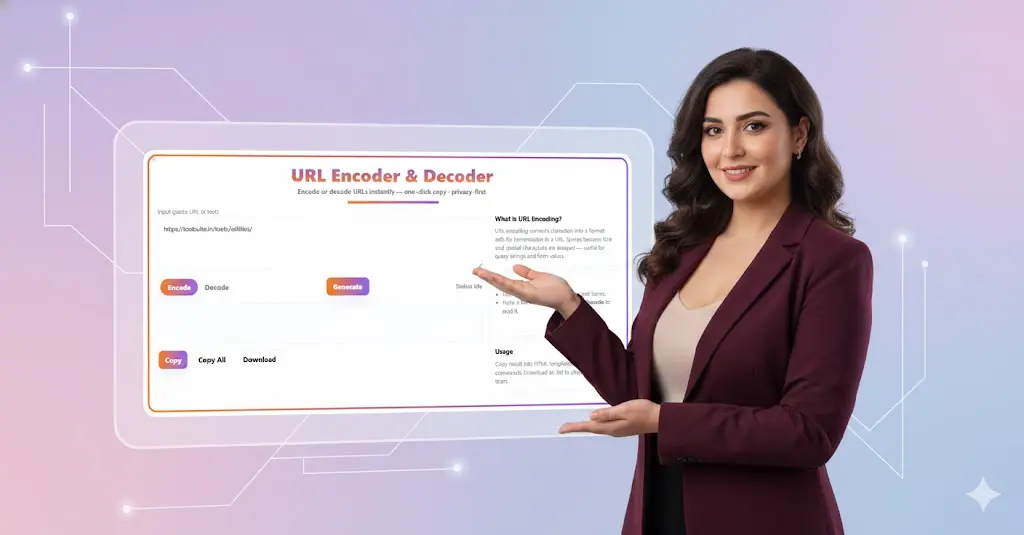
URL Encoder & Decoder
What is URL Encoding, and Why Does it Matter?
At its core, URL encoding, often called Percent-Encoding, is a mechanism used to translate characters into a format that can be safely transmitted over the Internet. It is a critical component of web communication, ensuring that information sent between a web browser (like Chrome) and a web server (the website) is interpreted correctly.
The Problem: Unsafe Characters in URLs
The Uniform Resource Identifier (URI) standard (which URLs are a type of) dictates a limited set of safe characters that can be used directly in a web address. These include the 26 letters of the English alphabet (uppercase and lowercase), the digits 0 through 9, and a few special symbols like hyphen (-), underscore (_), period (.), and tilde (~).
Any other character—such as a space, a quotation mark ("), or an ampersand (&)—is considered “unsafe” or “reserved.” If these characters appear in a URL, the web server might misinterpret them, leading to:
- Broken Links: The server can’t find the correct page.
- Security Vulnerabilities: Improperly handled data can open doors for attacks.
- Data Loss: Information passed in query strings is truncated or corrupted.
The Solution: Percent-Encoding
URL Encoding solves this by replacing every unsafe character with a percent sign (%) followed by its two-digit hexadecimal representation (its ASCII value).
Key Encoding Examples:
| Original Character | Description | Encoded Value |
| Space | The most common encoding | %20 or + (in some cases) |
| & (Ampersand) | Used to separate query parameters | %26 |
| = (Equals Sign) | Used to assign values to parameters | %3D |
| # (Hash/Pound) | Used for fragments (anchors) | %23 |
| / (Forward Slash) | Used to indicate a directory path | %2F |
When a web browser encounters an encoded URL, it sends the percent-encoded string to the server. The server then uses a process called URL Decoding to reverse the process, translating the %20 back into a space, the %26 back into an ampersand, and so on. This ensures the data is received and processed exactly as intended.
🛠️ How to Use Our URL Encoder & Decoder
Our tool is designed for maximum speed and ease of use. You don’t need any prior knowledge of ASCII or hexadecimal values—just paste your input and click a button!
1. URL Encoding (Input $\rightarrow$ Output)
Use this function to prepare a clean, safe URL for web transmission.
When to Use It:
- You are creating a query string (the part of a URL after the
?) that contains spaces, special characters, or user-submitted text. - You are submitting data via an HTML form method (like
GETorPOST). - You need to generate a valid, clickable link from a title or phrase (e.g., a blog post title like “SEO Tips & Tricks” needs to become a safe URL).
Step-by-Step:
- Paste the raw text or URL (e.g.,
https://example.com/search?q=my new post) into the input field. - Click the Encode button.
- The result field will instantly display the safe, encoded URL (e.g.,
https%3A%2F%2Fexample.com%2Fsearch%3Fq%3Dmy%20new%20post). - Click Copy to use the encoded URL in your code, email, or database.
2. URL Decoding (Encoded $\rightarrow$ Readable)
Use this function to reverse the process and translate an encoded URL back into a human-readable format.
When to Use It:
- You receive a logged URL or a complex link from an API or server and want to read the plain text of the query parameters.
- You are debugging an application and need to see the original input that was passed through the URL.
- You are analyzing web traffic or referrer links and want to understand the content hidden in the encoded parts.
Step-by-Step:
- Paste the encoded URL (e.g.,
My%20Blog%20Post%20%26%20Article) into the input field. - Click the Decode button.
- The result field will instantly display the original, readable string (e.g.,
My Blog Post & Article). - Click Copy to paste the decoded text into your document or code editor.
3. Generate (URL Construction)
This feature is perfect for building a clean, safe query string from multiple parts or generating a unique key.
When to Use It:
- You need a simple utility to generate a unique ID or key.
- You’re building the foundation of a new URL and need a random starting point.
Step-by-Step:
- Click the Generate button.
- A unique string will appear in the result box, which you can use as a random parameter value or ID in your application.
💡 Why Choose Our URL Encoder & Decoder?
There are many encoding tools out there, but ours focuses on the needs of professional developers and digital experts:
- Privacy-First: We don’t log, store, or track any data you input. Your information stays private.
- One-Click Speed: Instant processing with no delays. Perfect for batch work or quick lookups.
- Intuitive Interface: The clear design (as you see above!) minimizes confusion. “What is URL Encoding?” and “Quick tips” are always visible for helpful context.
🎓 Advanced Use Cases for Encoding & Decoding
Understanding when and how to use this tool will elevate your web development and digital marketing skills.
1. Query String Management
The most common use case is managing the part of a URL that sends data to a server, typically for filtering, searching, or tracking.
Example:
Imagine you want to search for the phrase “Web Development & SEO” on a website.
- Raw Input:
search_query=Web Development & SEO - Encoded Output:
search_query=Web%20Development%20%26%20SEO
If you don’t encode the &, the server would think the query string ends after “Development” and start looking for a new parameter named “SEO,” completely breaking the search.
2. Handling JSON and APIs
When you send JSON data within a URL parameter (though POST is generally preferred), the entire JSON string must be URL-encoded. This prevents reserved JSON characters, like {, }, [, ], and :, from confusing the URL parser. Our tool is excellent for debugging the parameters of complex API requests.
3. SEO and Canonicalization
While search engines are sophisticated, consistently using clean, correctly encoded URLs is vital for SEO (Search Engine Optimization).
- Avoid Duplicate Content: Poorly encoded links can lead search engines to index the same page multiple times under slightly different URLs, diluting your page authority.
- Improve Crawlability: Clean URLs make it easier for search engine bots (like Googlebot) to crawl and understand your site structure.
4. Email Marketing
Email clients and servers can sometimes strip or misinterpret special characters in tracking links. Encoding your full tracking URL (especially parameters like UTM tags) ensures that the correct, unbroken link is delivered to the user and accurately logged when they click it.
🛑 URL Encoding vs. Other Encoding Types
It’s common to confuse URL Encoding with similar formats.
| Format | Purpose | Key Identifier |
| URL Encoding | Safe transmission of data in a URL. | Uses % (e.g., %20, %26) |
| Base64 | Encoding binary data into a text format (e.g., images, large files). | Uses A-Z, a-z, 0-9, +, and / |
| HTML Entity | Representing characters within the body of an HTML document. | Uses & and ; (e.g., < for <) |
While they all involve translating characters, our URL Encoder Decoder is specifically designed for the Percent-Encoding standard required by web browsers and servers.
🚀 Get Started Now!
Ready to clean up your links, debug your APIs, and ensure flawless data transmission?
Simply paste your URL or text into the input box above and click Encode or Decode to get started. Use the Copy button to grab the result and integrate it immediately into your project.
Bookmark this page—it’s the last URL Encoder Decoder tool you’ll ever need!

Frequently Asked Questions about URL Encoding
1. What is the difference between URL Encoding and URL Decoding?
URL Encoding converts unsafe characters (like spaces and special symbols) in a URL or query string into a safe, web-transmittable format using the percent-encoding scheme (e.g., a space becomes %20). URL Decoding is the reverse process: it translates the percent-encoded strings (like %26) back into their original, human-readable characters (like &).
2. Why is URL encoding necessary for web links?
It is necessary because only a limited set of ASCII characters are considered “safe” for direct use in a URL. Encoding ensures that reserved characters (like ?, /, and &) are not misinterpreted by the web server as structural elements, preventing broken links, data loss, and security issues.
3. Which characters must be URL encoded?
Any character that is not a standard letter (A-Z, a-z), digit (0-9), or an unreserved symbol (-, _, ., ~) must be encoded. The most common characters requiring encoding are the space (%20), ampersand (%26), and forward slash (%2F) when used as data.
4. Is URL Encoding the same as encryption?
No. URL Encoding is a reversible translation of data characters into a safe format for transmission, which offers no security or secrecy. Encryption is a process of scrambling data using a key to hide the information from unauthorized parties.
5. What is “Percent-Encoding”?
Percent-Encoding is the technical name for URL Encoding. It refers to the method where an unsafe character is replaced by a percent sign (%) followed by the two-digit hexadecimal value (ASCII code) of that character. For example, the dollar sign is encoded as %24.
6. Should I encode the entire URL or just the query string?
Generally, you only need to encode the query string (the part after the ? in a URL) or other user-input data that might contain unsafe characters. The domain name, protocol (http://), and path segments are typically composed of safe characters or are handled automatically by modern browsers.
7. How do search engines (like Google) handle encoded URLs?
Search engines are sophisticated and can read both encoded and decoded URLs. However, using clean, correctly encoded URLs (especially for parameters) is vital for SEO, as it helps search engines crawl your site efficiently, avoid canonicalization issues, and correctly index your content.
8. What characters are represented by %20 and +?
Both %20 and + are commonly used to represent a space character during URL encoding. While %20 is the standard set by RFC 3986, the + character is often used to represent a space specifically within the application/x-www-form-urlencoded format used for query strings and form submissions.
9. Can this tool handle Unicode characters (like French or Chinese)?
Yes. Modern URL encoding relies on the UTF-8 standard. This means our tool can correctly translate complex Unicode characters (like Français or 你好) into their multi-byte percent-encoded sequence for safe web transmission.
10. What programming functions are used for encoding and decoding?
Most programming languages have built-in functions for this purpose, reflecting the standards. Examples include:
- JavaScript:
encodeURIComponent()anddecodeURIComponent() - Python:
urllib.parse.quote()andurllib.parse.unquote() - PHP:
urlencode()andurldecode()
Related Tools and Directory
- Income Tax Calculator
- Tools Directory Overview
- Free Online tools Hub
- Finance & Tax Tools Hub
- Advance Tax Interest Calculator
- GST Calculator
- HRA Exemption Calculator
- TDS Deduction Estimator — Salary (Monthly Estimate)
- Income Tax Slab Comparison
- Gratuity Calculator
- EPF Contribution Calculator
- Simple EMI Calculator
- Advance Term Loan EMI Calculator
- Car Loan EMI Calculator
- Personal Loan EMI Calculator
- Home Loan EMi Calculator
- SIP Calculator
- SIP Goal Calculator
- CAGR Calculator
- XIRR Calculator
- SWP Calculator
- STP Calculator
- Free Lumpsum Investment Calculator: Maximize the Future Value
- CSV to JSON Converter
- QR Code Generator
- CSV to Excel Converter
- Base64 Encoder/Decoder
- Regex Tester
- JSON Formatter & Validator
- UUID Generator
- Strong Password Generator
- Lorem Ipsum Generator
- Explore more tools for Finance & Tax and SEO on TaxBizmantra.com & CAMSROY.COM